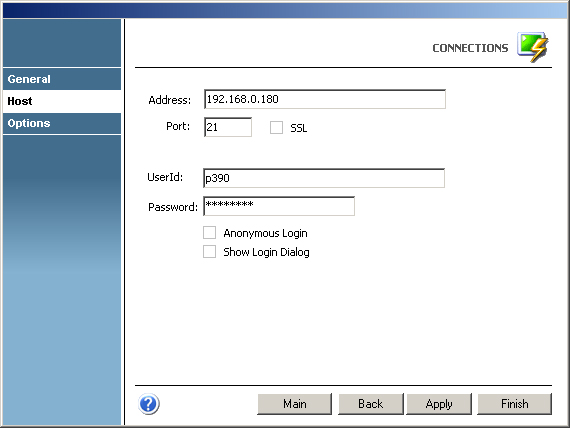
In the 'Host' tab you will find the following parameters:
Address
URL or IP address of the host machine that will act as the FTP server.
Port
TCP port defined for FTP access at the remote computer.
Default FTP port number is 21.
If you check the 'SSL' option, the default port number will change to 990.
SSL
Check this option if the host you are connection to supports the SSL protocol. See Security and Encryption.
When you check this option, the 'SSL' tab will automatically appear in the connection settings dialog. See 'SSL' tab.
UserId
In this field you must enter your User ID.
Password
In this field you must enter your Password.
Anonymous Login
Enable this option if you prefer to log in anonymously.
Show Login Dialog
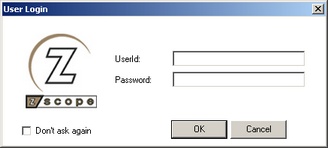
Check this option if you want the 'Login' dialog to be shown every time you connect to the remote computer.
Check the 'Don't ask again' option in the 'Login' dialog if you want z/Scope to remember your login information so that next time you connect you don't have to re-enter your User ID and Password.